hacks wolfteam 2023 Skip to content hacks wolfteam 2023

[Melonity V2] Dota 2 Steam - 7 days

$3.70
0 in stock

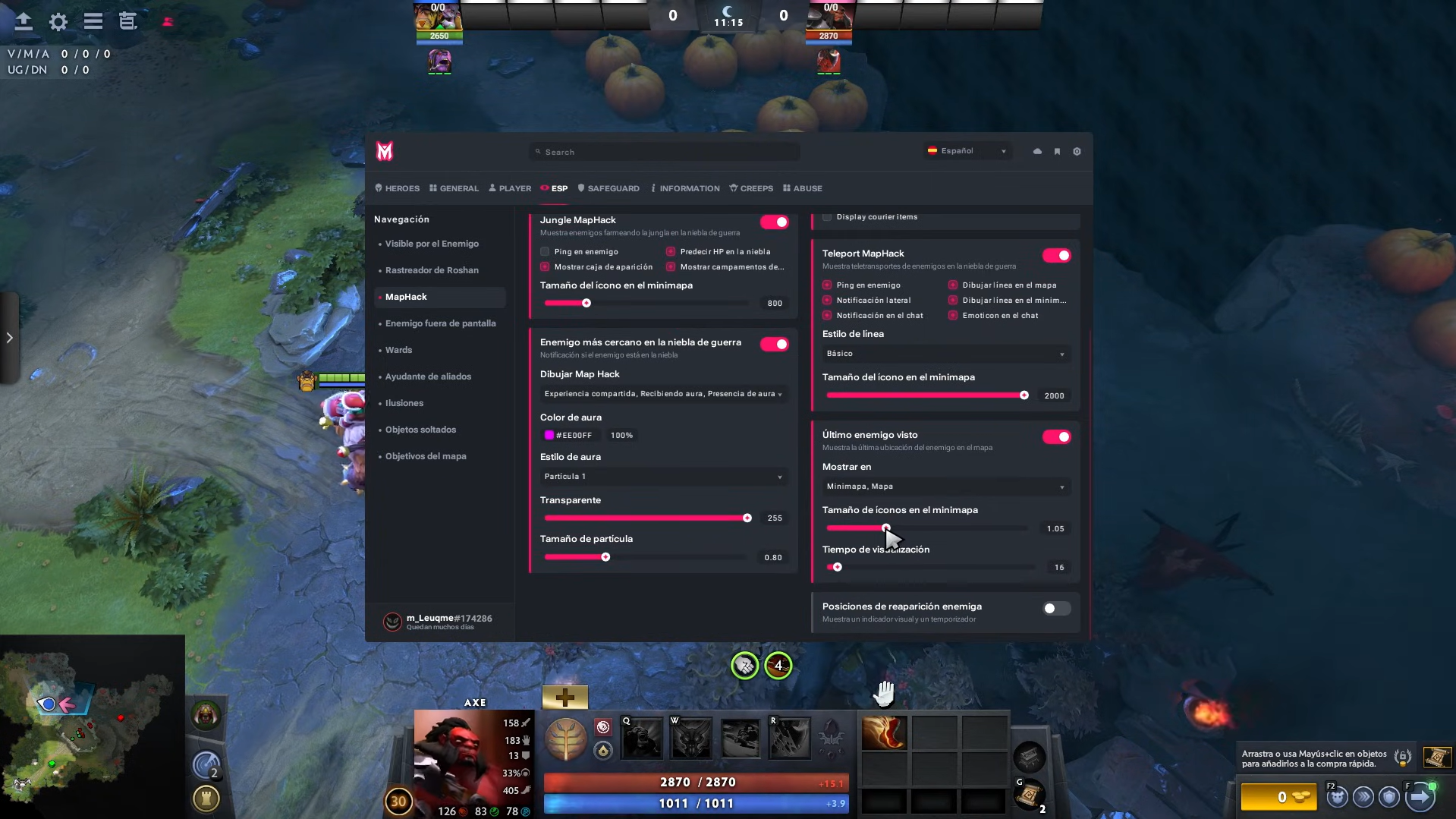
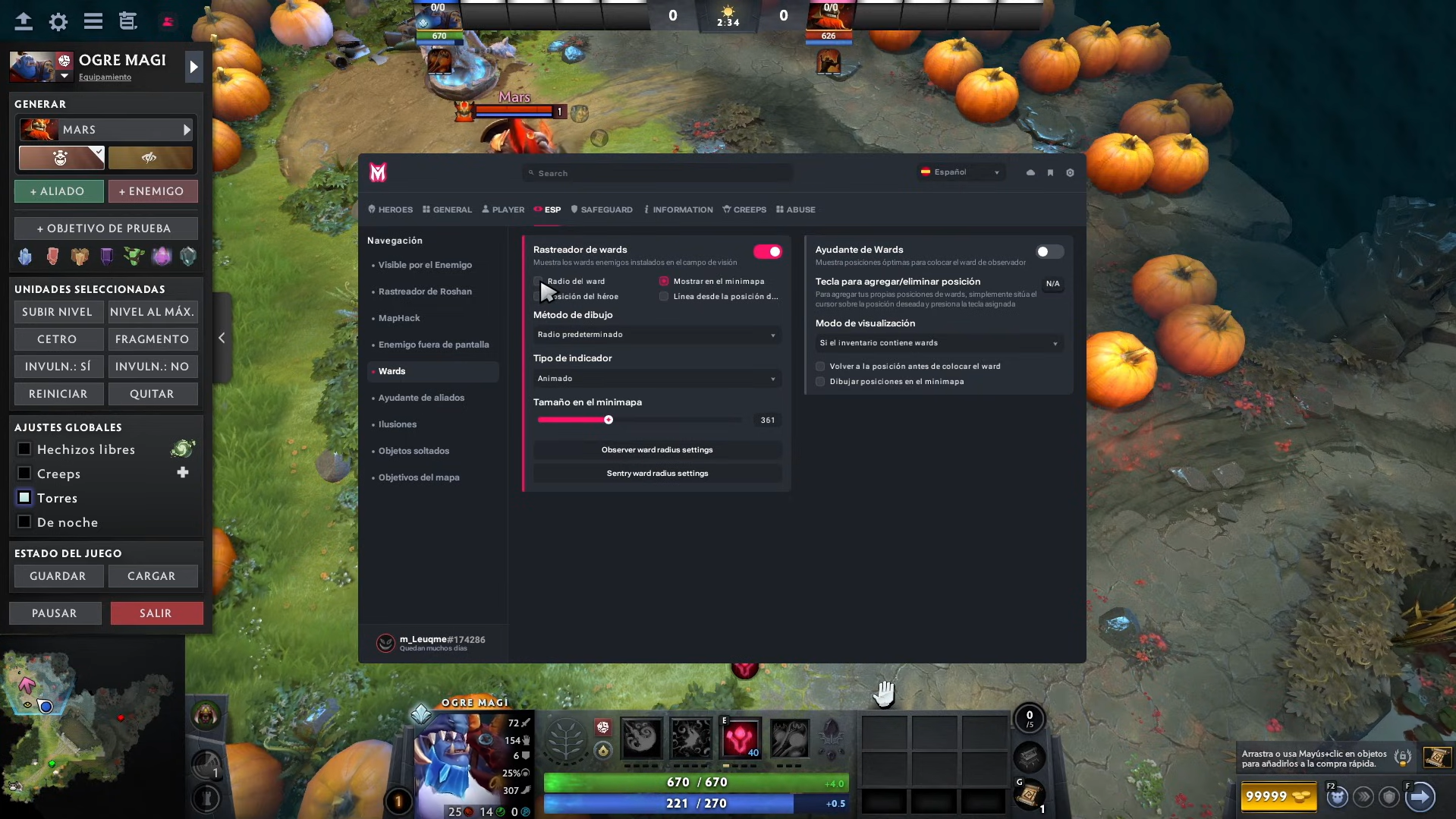
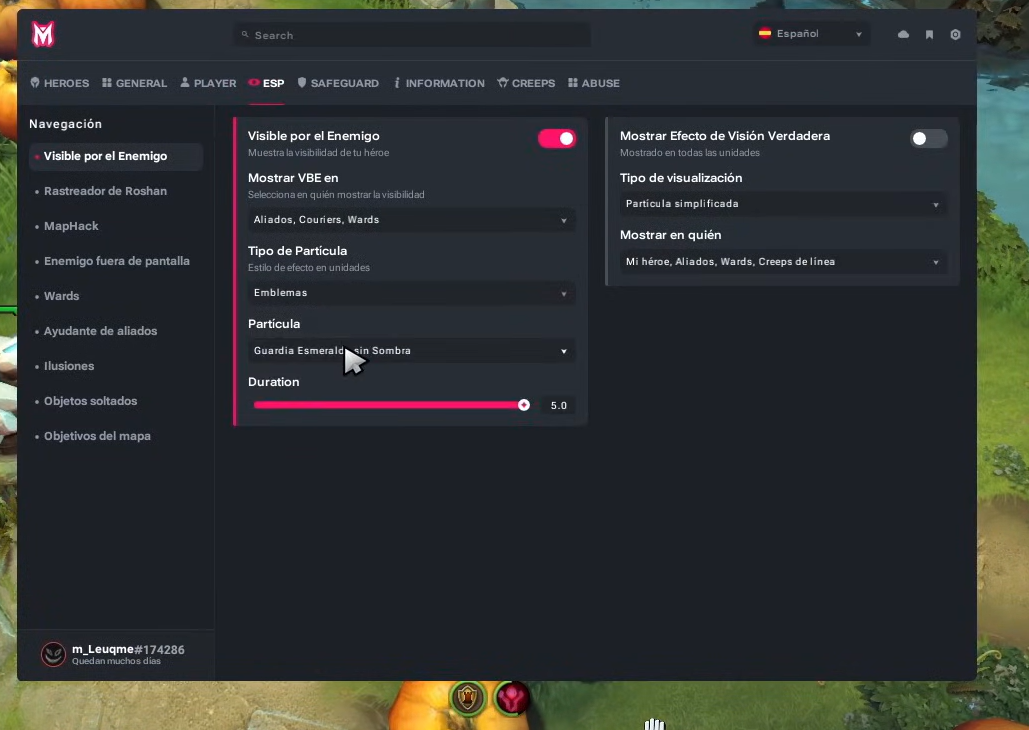
Melonity for Dota 2 is an advanced private software solution developed to provide complete in-game assistance. It is designed both for players who want to improve tactical performance and for those seeking to optimize every action in real time, offering over 200 powerful features according to the official version.

FEATURES

OPEN

🧑🎮 Player Automation & Control

Smart auto-casting of abilities based on combat priority
Automatic activation of defensive and offensive items in critical situations
Real-time kill potential visual indicators
Mechanical error prevention (misclick protection)
Automatic cancellation of unnecessary animations
Auto-purchase of key items (Tome of Knowledge, wards, consumables)
DPS optimization using automated hit & run movement logic
Automatic control of illusions and summoned units
Smart toggle management (Armlet and dynamic toggles)
Intelligent auto-cast based on range and visibility
Smart target selection based on hero priority


🌲 Creep & Jungle Management

Automatic neutral camp stacking
Smart creep pulling automation
Last-hit and deny timing indicators
Damage prediction for guaranteed last-hits
Automatic jungle respawn timers
Optimal farming route visualization
Automatic aggro control
Dynamic markers for available jungle camps
Jungle pattern optimization assistance
Farming efficiency indicators


🗺️ Advanced Visualization & ESP

Real hero visibility indicators (Fog Awareness System)
Enemy detection through indirect activity in fog of war
Enemy position prediction based on map data
Hidden ability reveal (Sun Strike, hooks, global spells)
Automatic enemy ward detection
Shared experience analysis to detect nearby enemies
Courier tracking and route detection
Enemy rotation detection
Real-time map event visualization
Last known enemy position with timer tracking


🎮 General Features

Visual replacement of trees and environmental objects
Visual unlock of premium interface elements (Dota Plus style UI)
Advanced camera adjustments (dynamic zoom)
Automatic match accept
Automatic re-queue after matches
Smart auto-glyph activation when towers fall
Internal graphic optimization
Integrated mini-games inside the menu
Built-in training tools
Multi-profile user support


🛡️ Tactical Automation

Automatic dodge system for dangerous enemy abilities
Automatic ally rescue in critical situations
Auto-use of disables on nearby enemies
Automatic counter-initiation system
Smart defensive activation (BKB, Glimmer Cape, Force Staff)
Automatic ambush protection
Teamfight target priority system
Anti-focus assistance
Escape automation for critical situations


📊 Information Panels & Statistics

Full enemy item panel
Enemy power spike detection
Real-time MMR tracking during matches
Roshan alert notifications
Glyph status tracking
Pre-match pick & ban statistics
Enemy cooldown tracking panel
Buyback availability information
Team advantage / disadvantage analysis
Internal performance statistics


🗺️ Visual & Tactical Enhancements

Real ability range indicators
Area of Effect (AOE) visualization
Buff and debuff duration timers
Optimal ward placement hints
Predefined strategic map routes
Danger zone visualization
Choke point highlighting
Advanced tactical overlay
Custom map markers


⚙️ Customization & Configuration

Complete hotkey and bind system
Hero-specific profiles
Automatic configuration saving
UI theme selector
Modern modular interface
Multi-language support (English, Spanish, Russian, Chinese)
Profile-based configuration manager
OBS bypass (stream-safe overlay)
Low resource consumption optimization
Fast enable / disable system

🔧 Technical Requirements — Melonity for Dota 2


🖥️ Minimum System Requirements

Operating System: Windows 10 / Windows 11 (64-bit recommended)
Processor: Intel i3 / AMD Ryzen 3 or higher
RAM: 8 GB or more
Storage: 2 GB free disk space
Graphics Card: DirectX 11 compatible (NVIDIA / AMD / Intel)
Internet Connection: Required for license verification and updates


🚀 Recommended for Best Performance

CPU: Intel i5 / AMD Ryzen 5 or higher
RAM: 16 GB
GPU: NVIDIA GTX 1060 or equivalent

Account

Navigation

Search

Search

Configure browser push notifications

Chrome (Android)
  1. Tap the lock icon next to the address bar.
  2. Tap Permissions → Notifications.
  3. Adjust your preference.
Chrome (Desktop)
  1. Click the padlock icon in the address bar.
  2. Select Site settings.
  3. Find Notifications and adjust your preference.
The popup will be closed in 20 seconds...
SOPORTE